


On this page you will find information about the correct use of the site and entering new content with the help of the Gutenberg editor.
Given the number of options and capabilities, we’ll only cover the basic features here.
As needs grow and as we receive feedback, this page will be updated over time.
Contents / Quick navigation
Posts & Pages
The working environment consists of the TOP Toolbar, LEFT Sidebar, RIGHT Sidebar and Main CONTENT. These are not independent sections, but rather the opposite. The tools and options from the bars are intertwined and supplemented with additional options. Some things are not immediately obvious. But don’t panic, everything is here. But don’t panic, everything is here.
TOP Toolbar

The Toolbar has a set of commonly used tools. Some of them are permanent, while others change depending on which element is selected (Paragraph, Heading, Image, List…).
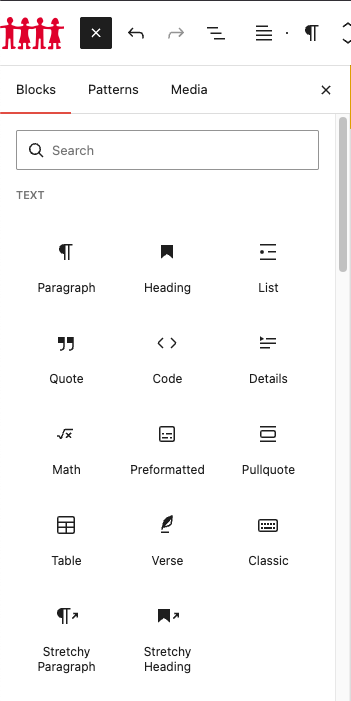
1. By clicking on the white plus in the red square, you get a list of ALL available elements.
Over time, you will learn the names of your favorite elements, so searching through the search input will speed up your work even more.
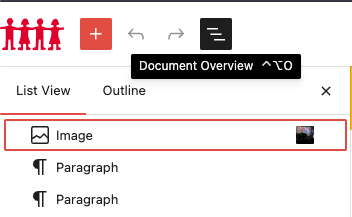
2. The LEFT Sidebar is displayed by clicking on the “Document Overview” button in the TOP Toolbar.
It should always be open.
3. View Page opens the page in a new tab and truly shows how the page looks.
4. Settings opens the RIGHT Sidebar. It should always be open.
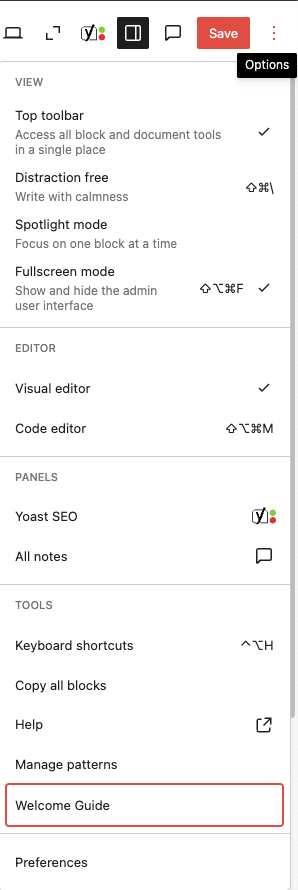
5. Top Toolbar Options.
See “Welcome Guide” and later Preferences.
LEFT Sidebar
It serves for navigation through the page itself. Here you can see the order of elements in it (title, subtitle, galleries, groups, etc.) You can easily change their order by drag-n-drop.
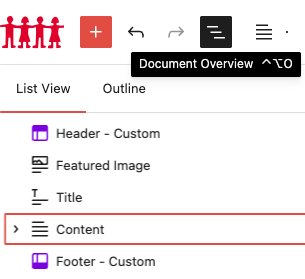
The LEFT sidebar may look a little different on a Page than it does on a Post (image above). However, only CONTENT is available to you.
Each element from the LEFT Sidebar at three vertical points opens a series of options, some of which are unique only to that element.
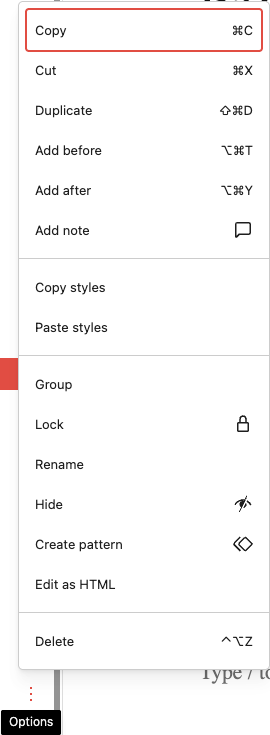
Use of titles and subtitles
A web page is not just a text document where the title and subheading are visually distinct. Google SEO dictates certain rules in the use of H tags (titles), because they define the structure of the content. H tags are “wrappers” around text that browsers and search engines use to properly understand and display the page – like invisible fittings in a building. Without them, the structure would be unstable. H1 can be only one and represents the main title of the page, while H2–H6 are subheadings used hierarchically.

An example of what the code in the background looks like.
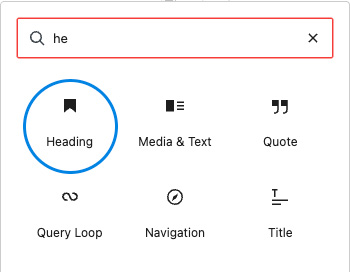
Heading is for Headings/Subheadings
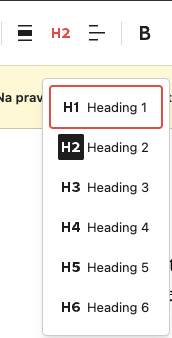
In the Top Toolbar, we change it to an adequate H
The structure should go like this:
H1 → page title (already taken automatically)
H2 → main sections
H3 → subsections within H2
This is an H2 subtitle.
This is the Paragraph to whom I am
font-size increased to be the same as H2 + bold
The only difference is that by design H tags have a special font-family
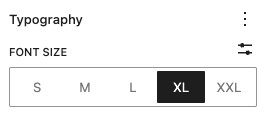
In other words, if you need larger text, don’t accidentally change the H tag, but the font-size in the RIGHT sidebar.
Images
Images must be prepared before uploading.
No exceptions.
1. First, resize and crop.
The resolution for the purposes of this site should not exceed 1600x1067px.
You have a good example on the news “PRAćka 2025: When communication becomes an act of civic courage”.
All in one – https://www.iloveimg.com/resize-image
2. Compression.
Strict image size limits have been introduced. JPG/JPEG files can be up to 500KB, which is more than enough for photos. PNG files, used for graphics and transparent elements, are limited to 1MB.
GIF files also have a 1MB limit.
If the file exceeds these values, the image is not adequately prepared.
You can do the compression using the following online tools:
https://squoosh.app/
https://compressor.io/
https://tinypng.com/
Depending on the content of the image, the compression level can be medium or high. For images with many shadows, transitions (gradients) or fine details, too much compression can lead to a visible loss of quality (pixelation).
3. Naming and Uploading
Try to be consistent with file names. exp. all-lowercase-letters-concatenated-with-a-serendipity-logo.jpg That way you can always just search for “logo” for a quick check, and avoid duplicating existing files.
Each uploaded image is automatically generated in multiple dimensions:
DSC02772.jpg → original (npr. 1600x1067px)
DSC02772-1440x700.jpg → slider
DSC02772-1024x683.jpg → large
DSC02772-600x600.jpg → medium
DSC02772-380x220.jpg → thumbnail
These versions are used by WordPress depending on the place of display (slider, news list, detail page, etc.), in order to optimize the loading speed of the page. So there is no need to upload multiple dimensions, unless the auto-crop cuts off the desired essence.
PDF and other documents for download
PDF must be compressed.
NO EXCEPTIONS.
https://www.ilovepdf.com/compress_pdf
A limit has been introduced for PDF files up to 5MB. If the file exceeds the limits even after compression, contact the site administrator for help.
The file naming convention for images also applies to PDF all-lower-case-joined-with-a-middle-dash.pdf
Quote
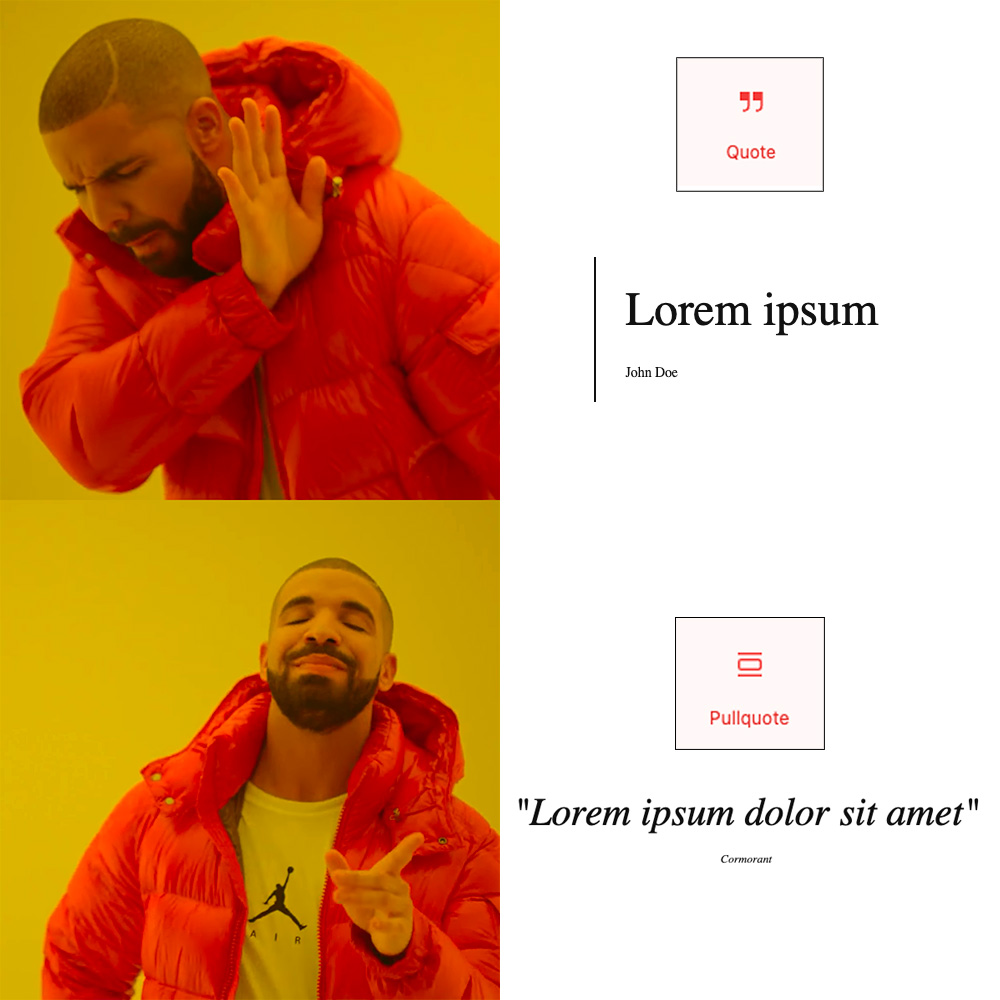
Elements for quotes:
- Quote
- Pullquote
Lorem ipsum
John Doe
“Lorem ipsum”
Cormorant
“Lorem ipsum dolor sit amet”
PT Serif
“Lorem ipsum dolor sit amet”
Georgia
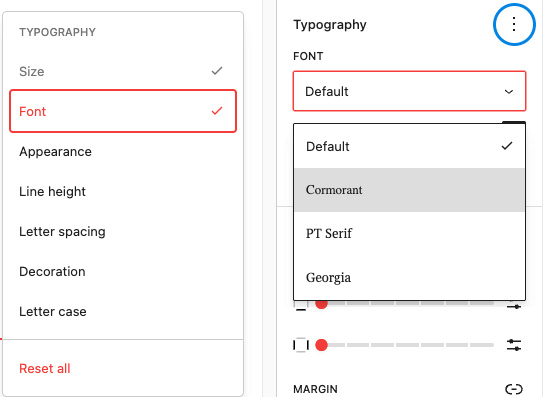
To change the font-family, the 3-dot icon opens a bunch of text styling options. exp. “Cormorant” is excellent for written text.
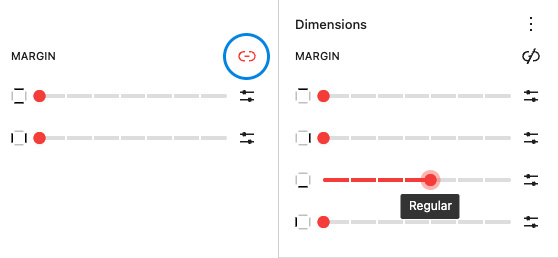
Margin – to change the spacing between elements
- Click on the 3-dot icon on Dimensions
- Margin
- If you want individual settings, untick top-bottom and left-right.
Media & Text
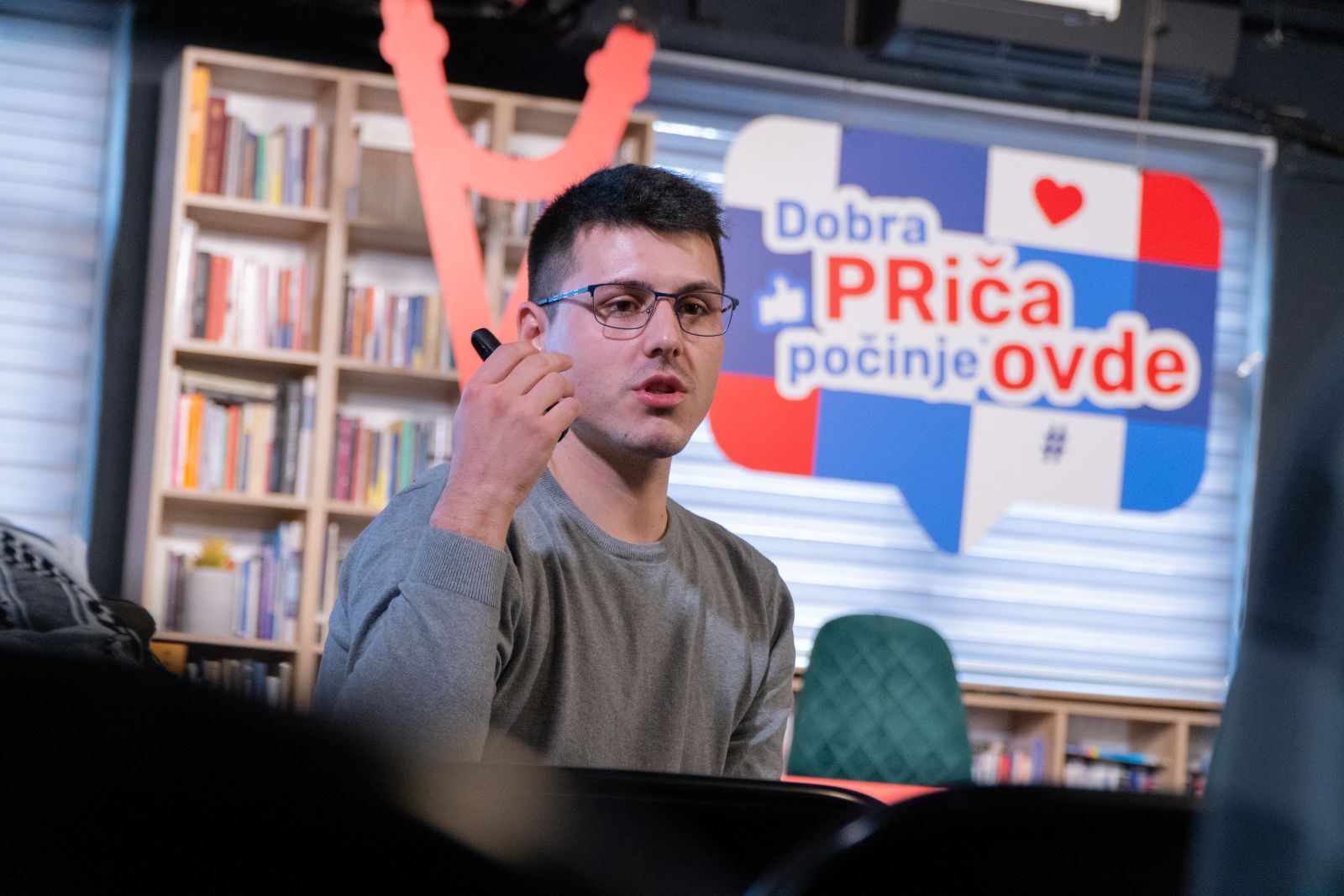
Lorem ipsum dolor sit amet, consectetur adipiscing elit, sed do eiusmod tempor incididunt ut labore et dolore magna aliqua. Ut enim ad minim veniam, quis nostrud exercitation ullamco laboris nisi ut aliquip ex ea commodo consequat.
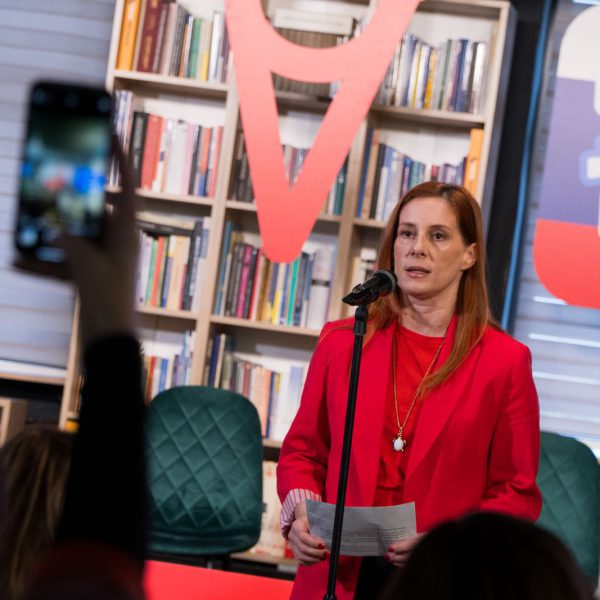
At a time when public space in Serbia is increasingly narrowing, communication is no longer just a skill – it is becoming an act of civic courage. It is precisely from this belief that PRaćka 2025 was held, a two-day conference dedicated to trends in communications in the civil sector, which is traditionally held every year, this year’s seventh in a row. The conference opened up key issues of voice, trust and responsibility, but also awarded PRaćka awards for Creative Communication to organizations and initiatives that in the previous year showed how communication can be a tool for real social change – the SHARE Foundation and the Feminist Digital Hub “Ujedančene”.
COMPONENT TESTING
- a harmony of mathematical precision – S
- a harmony of mathematical precision – M
- a harmony of mathematical precision – L
- a harmony of mathematical precision – XL
- a harmony of mathematical precision – XXL
However, I was again frustrated by a failure.
<ul class="more-posts__list">
    <?php while ($more_posts->have_posts()) : $more_posts->the_post(); ?>
        <li class="more-posts__item">
            <h4 class="more-posts__post-title">
                <a href="<?php the_permalink(); ?>">
                    <?php the_title(); ?>
                </a>
            </h4>
            <div class="more-posts__date">
                <?php echo get_the_date(); ?>
            </div>
        </li>
    <?php endwhile; ?>
</ul>
Resistance, Continuity, Capacitance: Essential measurement functions for troubleshooting electrical issues in a wide range of systems, allowing you to quickly diagnose and repair problems.
Diode Test: Allows you to quickly and accurately identify faulty diodes, saving you time and money on repairs.Temperature measurement: Provides easy monitoring of heating and cooling systems up to 400C with included type K thermocouple.
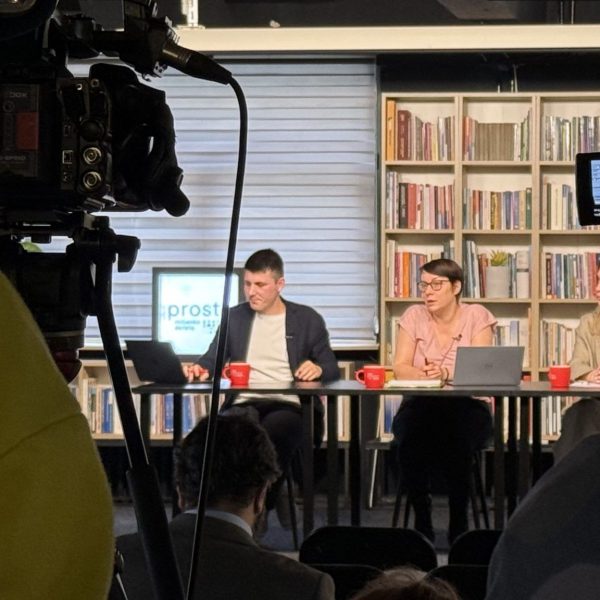
At vero eos et accusamus et iusto odio dignissimos ducimus qui blanditiis praesentium voluptatum deleniti atque corrupti quos dolores et quas molestias excepturi sint occaecati cupiditate non provident, similique sunt in culpa qui officia deserunt mollitia animi, id est laborum et dolorum fuga.
I remember that I am here because of the path that lies before me… but because of the path that lies behind me.
Morpheus
| Ergo | Concordantly | Pertinent | Irrelevant |
| 1 | 2 | 3 | 4 |
| Lorem | ipsum | 42 |
Stay here!... The sun of another sky
No one will warm you who warms this;
The biter are the morsels of bread there
Where there is no one of their own and where there is no brother.
Prince Edward
This is my word… and, as such, is beyond contestation.
vis-à-vis